Motus is the industry leader in the vehicle reimbursement space, accountable for tracking 290M miles per month and disbursing $1.4B in reimbursement per year. The Motus app is designed to track mileage for employees who use their personal vehicles for work.
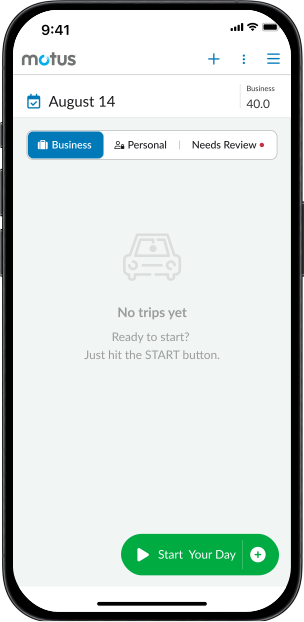
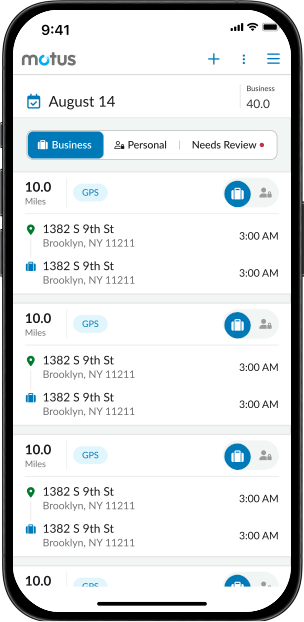
Drivers do more than complete business trips during their business day. They may drop off and pick up their kids from school, run an errand, or grab lunch on the road. While drivers should be tracked and reimbursed for just business purposes, these personal trips may be picked up by the Motus application.
Today, the Motus app has no mechanism to distinguish between business and personal trips. Without the ability to sort trips, mileage log review can be long and tedious for both drivers and approvers.
User Interviews
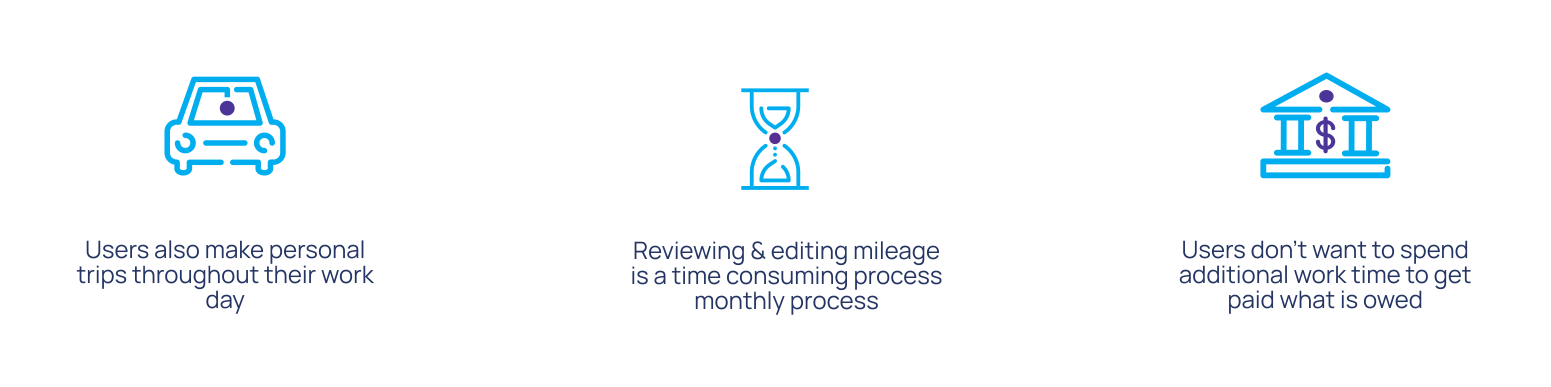
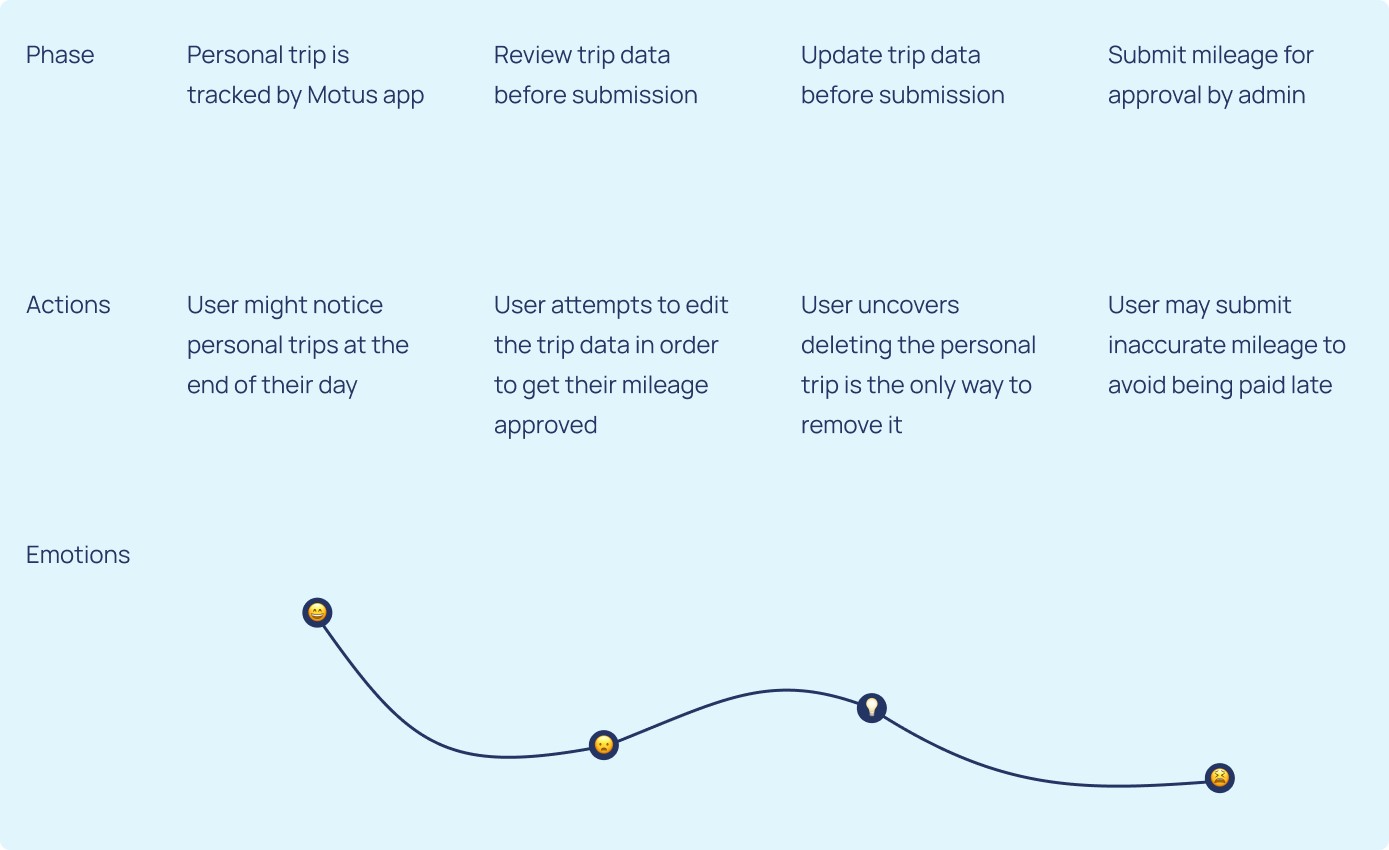
To better understand the current experience of our users, I conducted exploratory user interviews with drivers from various industries spanning heath care to construction. The goal of these interviews was to determine how often they are making personal trips throughout their work day and how they interact with the current state of the app when that event occurs.

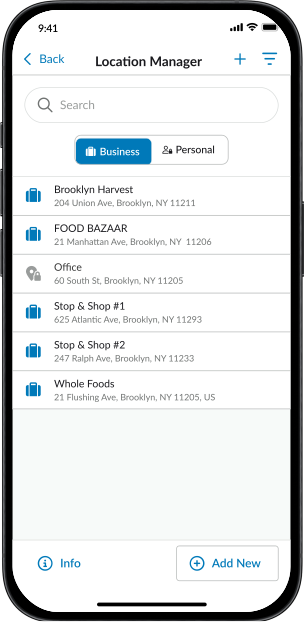
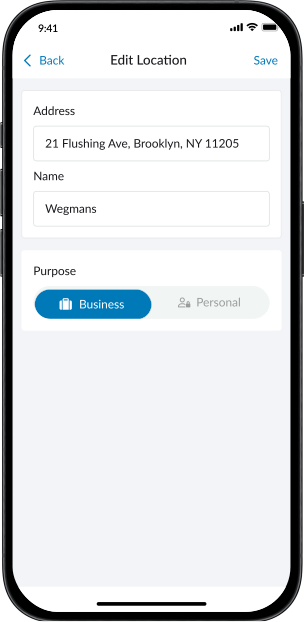
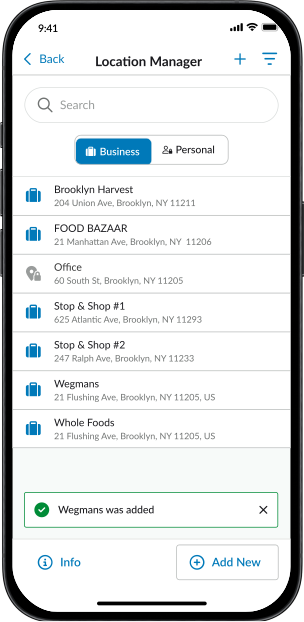
Enhanced Button Placement: Implemented a strategically placed plus button at the bottom right of the screen. This decision was made to enhance affordance, as the plus sign on the top right of existing screens may not be as visible to users. Additionally, it will be easier for right-handed users.
Notification for Successful Actions: Introduced a notification when a location is successfully added or updated. This notification is part of a broader strategy to implement across the app to highlight and acknowledge successful user actions like editing or adding a manual trip.
Auto Trip Classification: Most importantly, manaaging these locations will enable the system to get smarter progressively and reduce the need for user intervention over time and increasing submission accuracy.
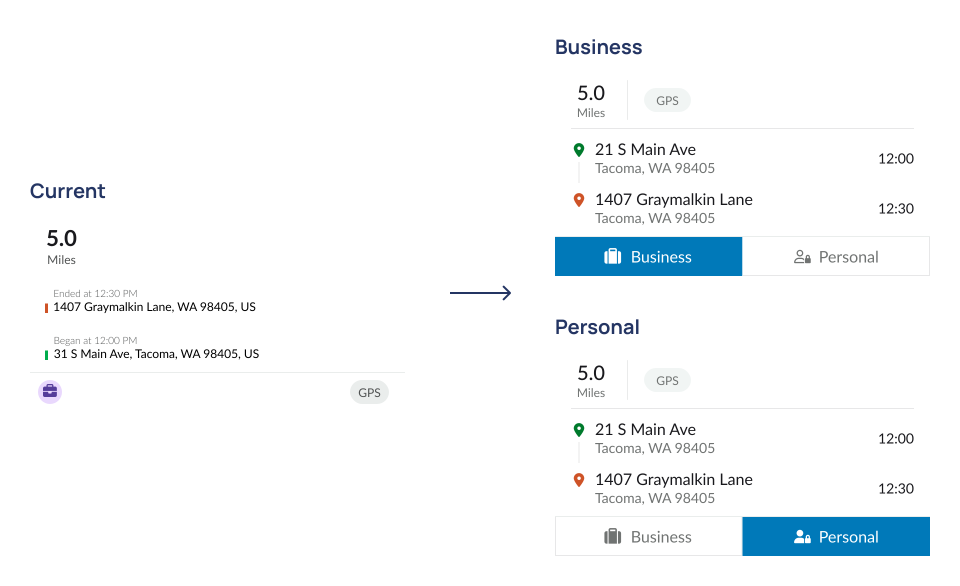
Optimized Trip Order: Reorganized the trip order, intuitively positioning the first location as the start and the second location as the end. This enhancement aims to provide users with a more intuitive and logical flow when reviewing their trips.
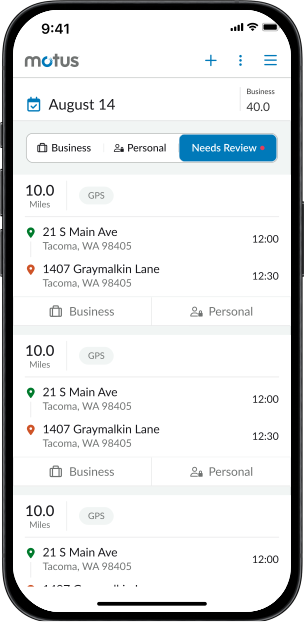
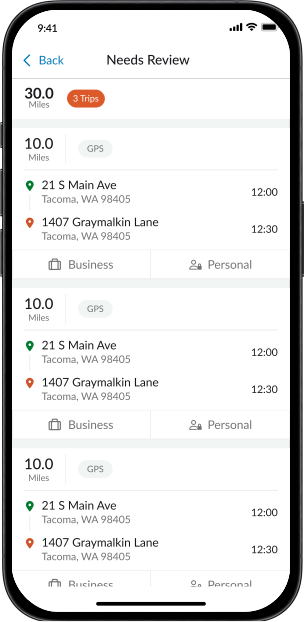
Introduction of Toggle: Implemented a toggle on the trip card, to introduce T rip Classification. This nudging mechanism ensures users are aware of the new functionality and prompts them to actively engage with the new feature.
Trip Card V2
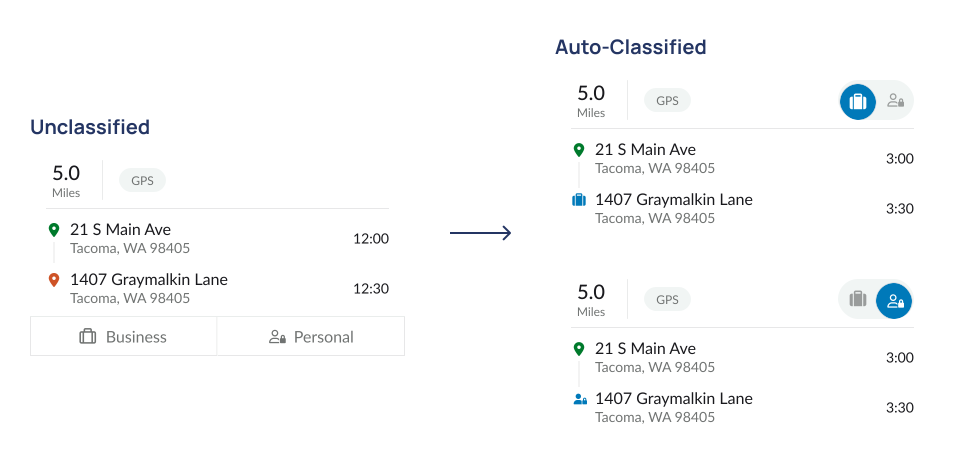
Streamlined Auto-Classified Trip Card: Recognizing that users won’t need to frequently update the classification of auto-classified trips, we optimized the user interface by removing the classification toggle. This maintains functionality while minimizing visual clutter as users can efficiently toggle the classification by simply clicking on the icon.
Enhanced Toggle: To ensure users know they can still update the classification of a trip, we opted for a smaller Business and Personal toggle when a trip gets auto-classified.
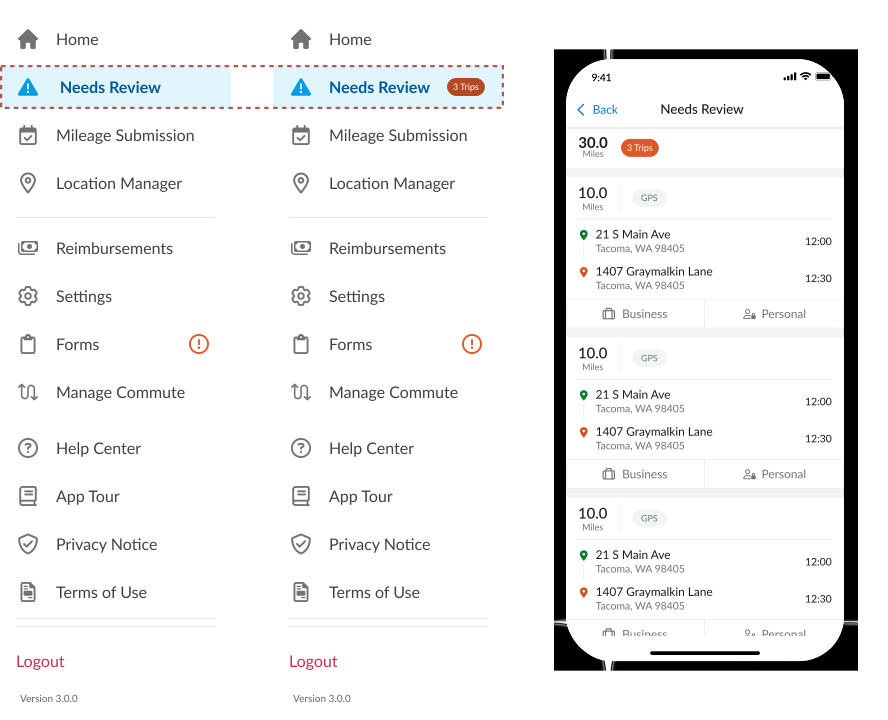
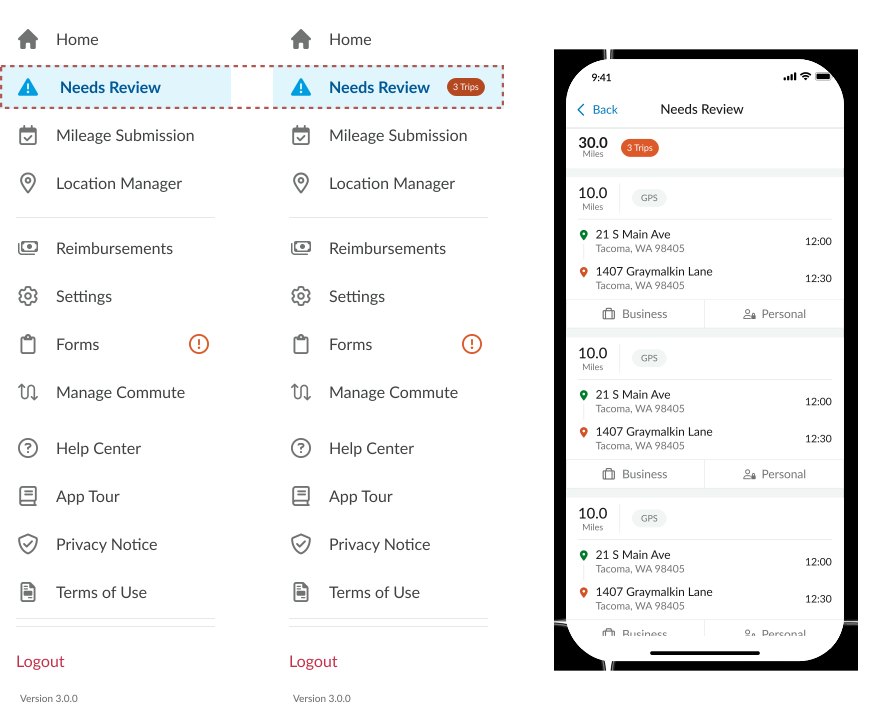
Option 2: Segmented Controls
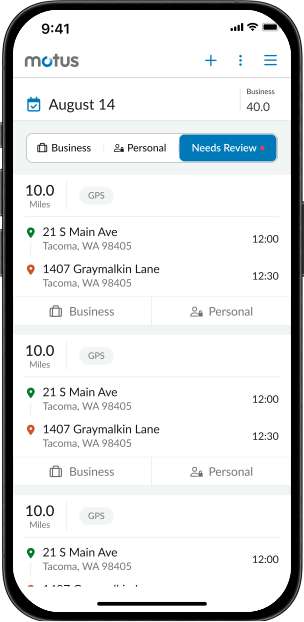
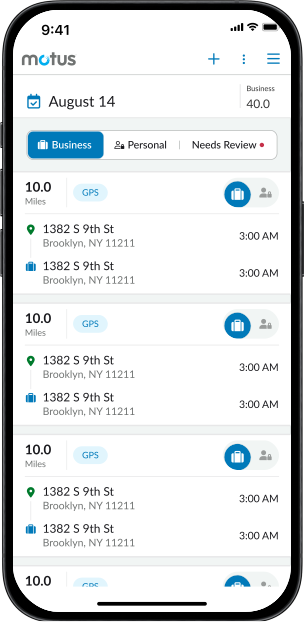
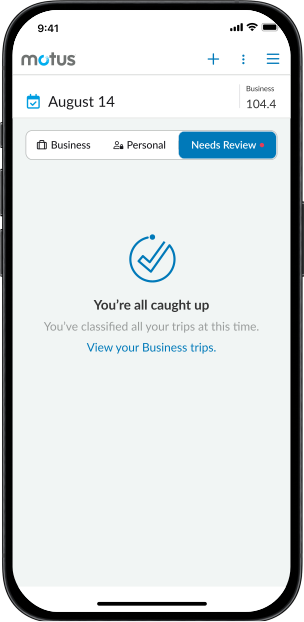
Segmented Control: Introduced new option where users can access a filtered view of the three trip types - Needs Review (Unclassified), Business, and Personal.
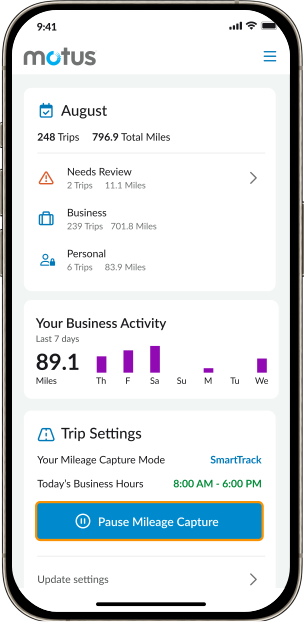
Needs Review Indicator: When an unclassified trip is tracked, the Needs Review tab will display an orange indicator which exists in the app for other action-required sections.
Preference Testing
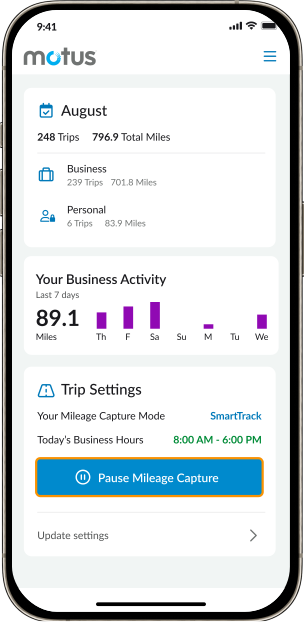
To ensure we make the best decision for our 300k users, we conducted a quantitative user test to evaluate the usability of three prototypes. Using Maze, we had users perform classification tasks and choose their top preference among the 3 prototypes. We surveyed our largest revenue clients across a wide range of industries and observed the best results with segmented controls.